
⏯️ Playback & Navigation
Kyna Player features an ultra-responsive playback engine with sub-frame seek precision and full keyboard controllability.
🎮 Shortcut Keys Cheatsheet
| Action | Default Shortcut | Mouse Action | Description |
|---|---|---|---|
| Play / Pause | Space | Click viewport center | Toggle playback and pause state |
| Stop | S | Stop button on control bar | Stop decoding and reset progress to beginning |
| Toggle Fullscreen | F | Double-click viewport | Enter / Exit fullscreen mode |
| Exit Fullscreen / Layer | Escape | - | Exit fullscreen or dismiss active modal overlay |
| Frame Step Forward | . | - | Step forward exactly one frame while paused |
| Volume Control | ↑ / ↓ | Scroll mouse wheel | Increase / decrease audio volume |
| Mute / Unmute | M | Click volume icon | Toggle audio mute |
| Open File | O | Click open button | Open system file picker dialog |
| Performance OSD | Tab | - | Toggle realtime FPS, dropped frames, bitrate & render latency |
⏳ Progress Bar & Hover Thumbnails
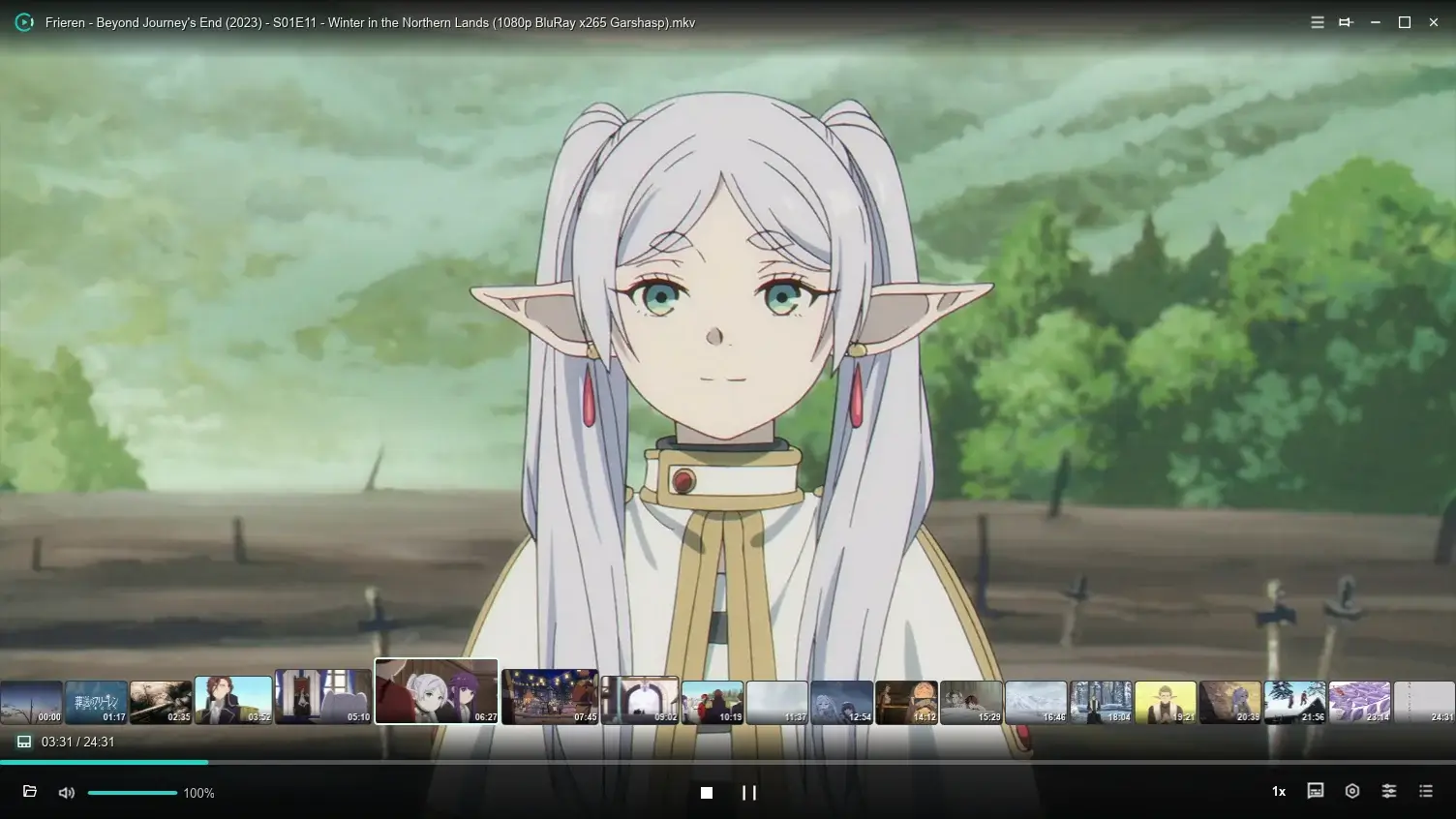
- Hover Thumbnails Hover anywhere across the timeline to instantly preview keyframe scenes and timestamps.
- Precision Stepping Press arrow keys → / ← to jump forward or backward smoothly.
🔁 Loop & Playback Modes
Click the loop icon on the right side of the control bar to cycle modes:
- 🔁 Loop All: Cycles the playlist continuously—perfect for binge-watching.
- 🔂 Repeat Single: Repeats the current video endlessly for dance/skills practice.
- 🔀 Shuffle: Plays list items in random order for music libraries.
- ➡️ Sequential: Plays sequentially and stops at the end of the list.