
🚀 Quick Start
Kyna Player is a modern, lightweight video player built specifically for Windows. Combining GPU hardware-accelerated rendering, local offline Whisper AI subtitles, and Anime4K upscaling technology, it delivers a pure and immersive viewing experience.
✨ Core Features
- GPU Hardware Acceleration Direct3D 11 hardware decoding and zero-copy rendering allow silky-smooth 4K/8K playback with minimal CPU usage.
- HDR Tone Mapping Naturally reproduces Dolby Vision and HDR10 rich dynamic colors on standard SDR monitors.
- Offline AI Subtitles Built-in local Whisper transcription and LLM translation with 100% offline privacy protection.
- Anime4K Super-Resolution Reconstructs sharp line art and vibrant colors in real time—the ultimate companion for anime enthusiasts.
- Immersive Distraction-Free UI Minimalist interface with auto-hiding controls, supporting rich keyboard shortcuts and smooth mouse interactions.
🖥️ Interface & Interaction Overview
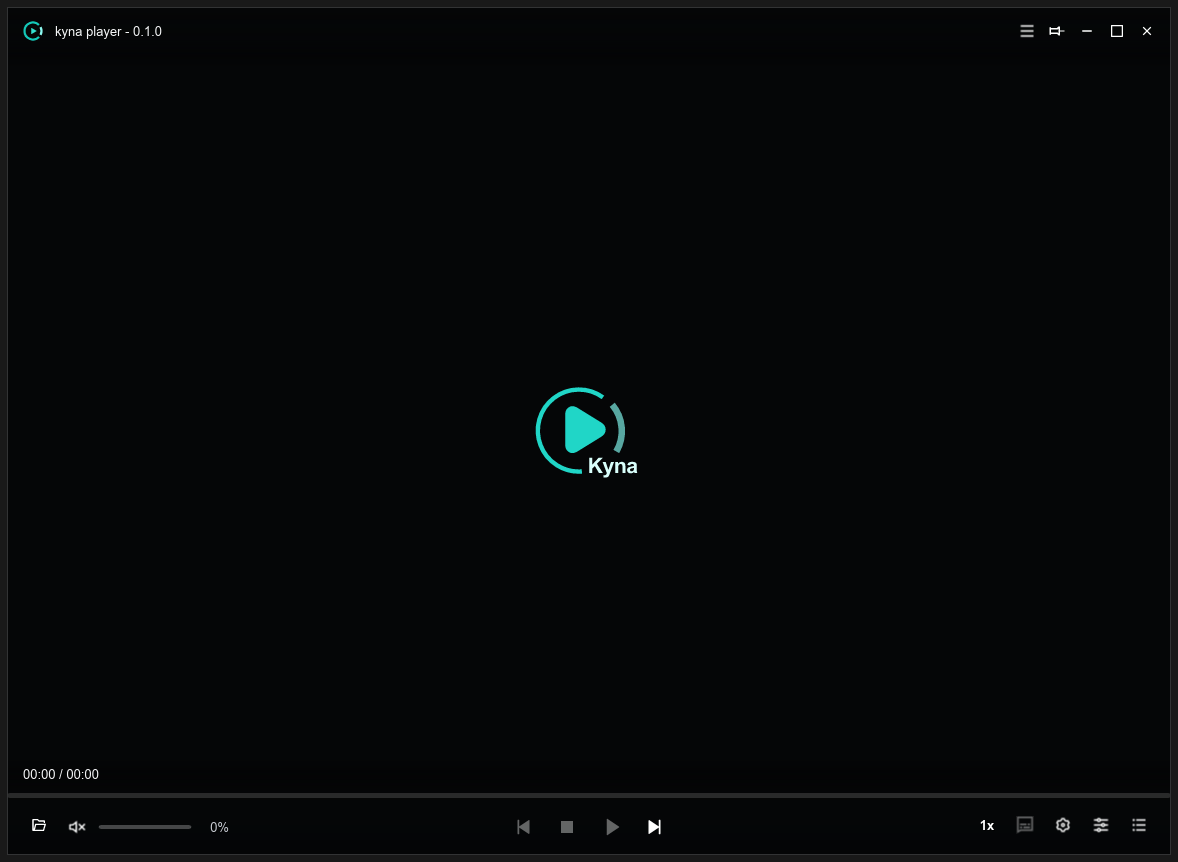
- Top Title Bar Appears when hovering near the top; supports Window Pinning 📌, Minimize, Fullscreen, and Close.
- Video Viewport Single-click to Play/Pause, double-click for Fullscreen, scroll wheel to adjust volume, and drag-and-drop to open files.
- Floating Control Bar Integrates progress bar, hover thumbnail previews, playback speed, loop modes, and quick tool shortcuts.
- Right Sidebar Quickly toggle Playlist, Subtitle tracks, Audio enhancements, and Video filters.
📂 Opening Media
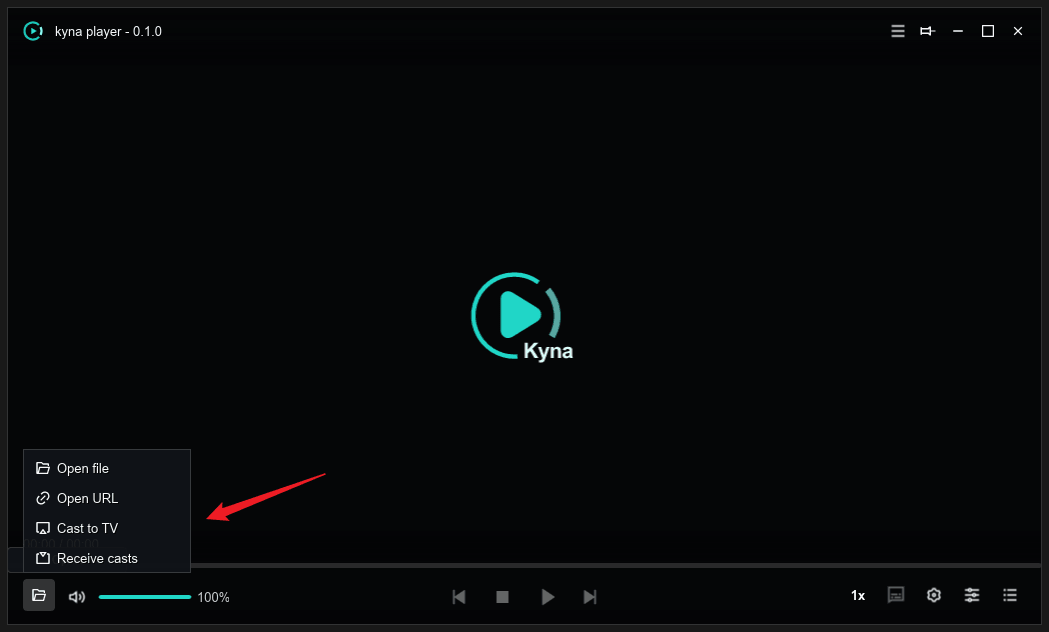
- Drag and Drop Simply drag video files, audio tracks, or entire TV season folders directly into the player window.
- Keyboard Shortcut Press O to bring up the Windows file dialog to select media files.
- Network Stream URL
Select “Open URL” from the menu to play HTTP/HTTPS direct links, HLS (
.m3u8), or RTMP live streams.